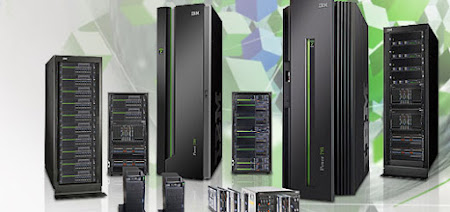
IBM Power Systems

IBM Power Systems

About This Blog

Warm wishes and welcome to all AS400 Administrators and Operators.


This is exclusive blog for iSeries system Administrators working anywhere in the world. Also a place for guys and gals who want to share knowledge pertaining to iSeries. This blog has been designed for exchanging knowledge on AS400 or iSeries server administration and operations.


Showing posts with label Operating System. Show all posts

Wednesday, June 30, 2010

Displaying Previous Sign-On Information

When the QDSPSGNINF is set to one, the Previous Signon Date and Time is displayed correctly when using Client Access connectivity. The last date/time of signon for the user profile is updated when the security API is called to verify a positive indicator and also updates the user profile. If the password is good for the ID provided, the API returns a positive indicator and also updates the user profile. There is no implication that this sign-on was for an interactive job.

The Signon Server for Client Access (for APPC and Sockets) calls the security API. Other products (such as an OEM emulator) may not call the security API, for example, Telnet from the DOS prompt. In addition, the PCOMM product (not the emulator shipped with Client Access) goes straight to the Telnet server and will not go through the Client Access Signon Server.

The Client Access Signon Server is used for a specific reason. If the Client Access user is running Data Transfer or RMTCMD, security must verify a user ID and password, and that would be a previous signon. The term signon means the last time a user ID and password were verified but not necessarily when a an interactive job was started. Client Access has a suite of functions that do not use a interactive job. In that case, the Client Access Signon Server is used to verify that the user ID and password are correct. Therefore, the date and time stamps for the user profile reflects the previous time that the user ID and password were checked rather than only the last time that an interactive job was started. This is working as designed and is not a defect.

As long as the same user ID and password are used for the Client Access sign-on and again later at the time the interactive job is started, you will see where the date and time stamps are correct for the previous sign-on. We understand that, in some cases, this information may not mean much. But, the last time that the password was verified and the user attempted any type of signon is always the date listed. This occurs when starting Client Access for the first time or when closing a Client Access connection and the user is prompted for the AS/400 sign-on information.

Thursday, April 15, 2010

User Profiles Creation during Operating System installation

When the operating system is installed from IBM-supplied media OR SAVSYS, the user profiles that are created in stage 1 of the operating system installation are determined by a security program that runs and checks for the existence of a specific list of profiles. If the profile does not exist in this list, it is not created. It does not matter which profiles were saved with the SAVSYS. Therefore, a scratch install is performed (for example, a disaster recovery or a migration to a different system) and there are objects in QSYS that are owned by a profile other than the specific set of profiles listed in the security program, they will end up being owned by QDFTOWN.
The profiles that are currently created when the operating system is installed are listed, in order, below:


Saturday, January 30, 2010

OS Application Model


On an OS/400 server, three application models are supported. To explain this, let's start in the middle of this chart. Traditional OS/400 applications run under the Integrated Language Environment (ILE) model. Programs in this application model use the TIMI. Above the TIMI, all programs are compiled to an intermediate form, which is automatically translated to actual hardware instructions by the kernel prior to execution. Much of OS/400 resides above the TIMI and is, thus, isolated from changes in underlying hardware. Remember, even though isolated from hardware changes, ILE applications are not interpreted. They are ‘optimized and translated’ to actual hardware instructions by the SLIC kernel.
Next, Java applications (shown on the right) use one of the following features built into the SLIC kernel: either the JVM, Just-In-Time (JIT) compiler, or Java translator. The Java support built into OS/400 delivers one of the highest-performing and most reliable Java machines in the industry.

System i & i5/OS – Integrated by Design


It is widely acknowledged that System i has high single-system reliability. This reliability is a byproduct of integration. When you consider that system crashes are often a result of software failures or human error rather than hardware failures, the value of integration and rigorous testing at the factory becomes more apparent.
Integration yields simplicity, ease of operations and a lower overall total cost of ownership. We’ll talk more about those in a moment.
Integration yields optimization. … For example, in benchmarks we’ve demonstrated the ability for system hardware and software resources to work together in harmony to support multiple, disparate applications at system utilization levels in excess of 95% while still meeting service level objectives for the applications which are running. And using built-in virtualization technology, i5/OS can be used to help optimize multiple operating system environments.
Integration yields automation. … There are numerous capabilities which are completely automated on System i that require human resources to manage on other platforms. For example, storage management is automated. Any data which is placed on an System i is automatically scatter-loaded across all available disk arms, which reduces the cost of administration while contributing to more balanced performance. The value of storage automation also extends to the relational database, consequently, most System i customers have no need for a database administrator. On other platforms it is necessary to have people manage the allocation and placement of data … and relational database implementations typically require the services of a full time administrator. 
Integration yields security with less effort and less cost. Security has been a design point for i5/OS from the beginning, unlike some other platforms. As a result, your ability to implement, enforce and audit a given security policy on System i is greatly enhanced. Any platform can be secured … but at what cost? The more you explore it, the more I believe you’ll find that it’s easier and less costly to secure System i systems. In a little while you’ll see that even the System i architecture contributes to your ability to secure it affordably.

It is almost a misnomer to call i5/OS an operating system. It is more accurately a nearly complete operating environment, because it includes so many systems management tools and middleware. First and foremost, any customer who buys a license for i5/OS automatically receives a copy of one of the world’s most sophisticated relational database management systems: DB2. This is not some dumbed-down, developer’s edition. This is the fully-functional, enterprise-class, industrial strength DB2 UDB for System i. To get the equivalent functionality in Oracle, you would have to buy the Enterprise Edition, which has a list price of $40,000 per processor.
In addition, we continue to improve our integration with the Websphere family of products. The Websphere Application Server is part of System i packaging, and we continue to incorporate additional Websphere products, such as Portal Server. Although the System i has only been around since 2000, its predecessors first appeared in the 1970s. And since the 1970s, this operating system has shipped with an impressive amount of systems management capabilities. For example, in i5/OS, there is a single security mechanism that administrators use to control access to the system, to data, and to applications. To get the same amount of systems management functionality on other operating systems, you would have to buy between 5 and 10 additional tools, that you would then maintain separately.

Friday, January 29, 2010

IBM i - The industry’s leading integrated operating environment

Companies rely on an efficient IT infrastructure to support business-critical applications. They need to know that their systems and business processes are deployed to meet thehighest service levels defined by their business units plus canbe adapted to handle every new business opportunity. IBMi (formerly known as i5/OS®) running on an IBMPowerSystems™ server offers a highly scalable and virus resistantarchitecture with a proven reputation for exceptional businessresiliency. Running applications based on i has helped compa-nies over many years to focus on innovation and delivering newvalue to their business, not just on managing their data centeroperations.
Having a more dynamic infrastructure is all about selecting theright systems and software to enable businesses to move withagility and speed. Getting there with IBMi means implementingproven solutions on a platform you can trust. By choosing thelatest Power™ platform, IBMi applications get world class per-formance plus dynamic infrastructure flexibility, with the oppor-tunity to lower monthly operations costs.